
An optimized, user-friendly, and modern Chrome download manager.
Copy the command below to clone the repository to your machine.
A polished Chrome / Edge / Brave extension (Manifest V3) that replaces the default chrome://downloads page with a modern, dark, keyboard-friendly UI — and adds the missing power-features Chrome never shipped: smart per-file folder routing, automatic date prefixes, and right-click image saving that even works on hot-link–protected sites.
Repository: https://github.com/buigiathanh/extension-download-manager
chrome://downloads. Existing keyboard / context-menu habits keep working.DDMMYYYY_ prefix in every saved filename. photo.png saved on 12 May 2026 becomes 12052026_photo.png. Sorting by name is now sorting by day, for free.YYYY-MM-DD/.Below are UI captures from the extension (dark theme; the in-app language can be English or Vietnamese).
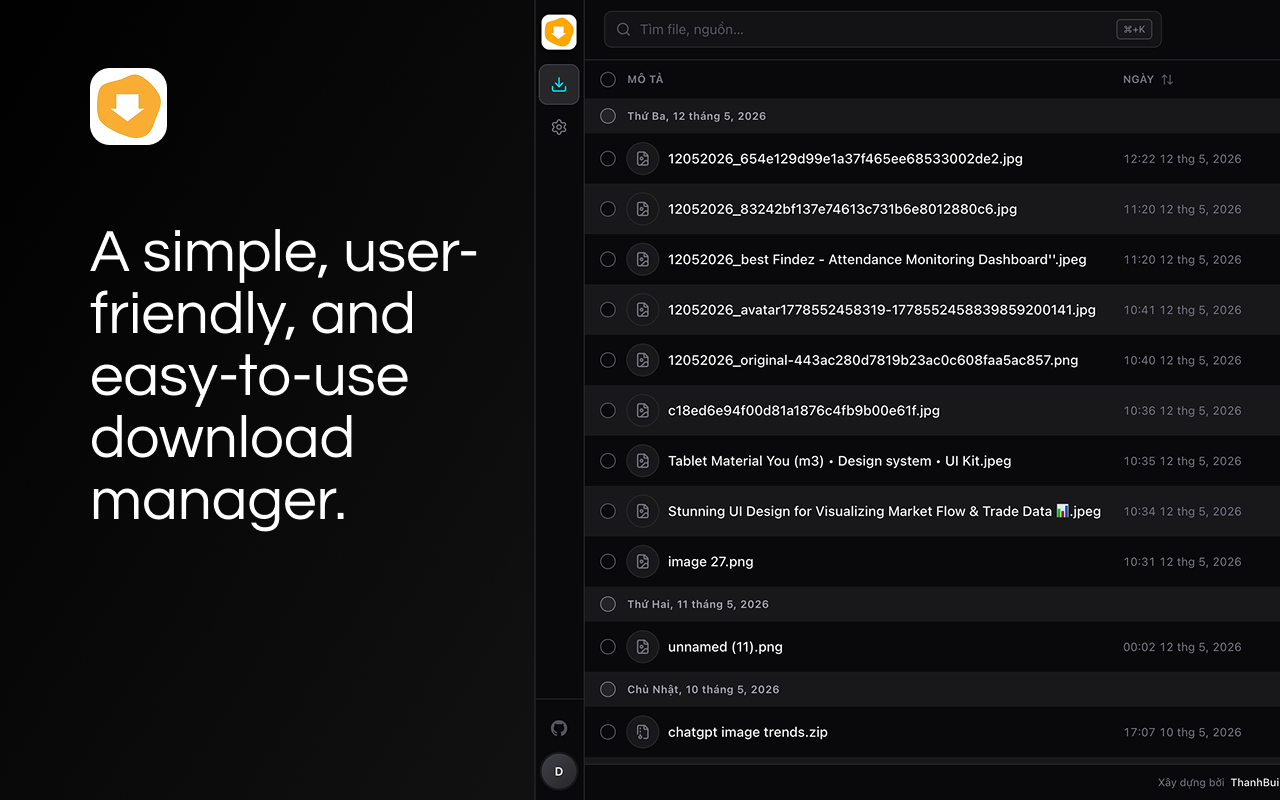
Overview — main download list with the side rail (files / settings, GitHub, account), search, language & theme toggles, and grouped rows.
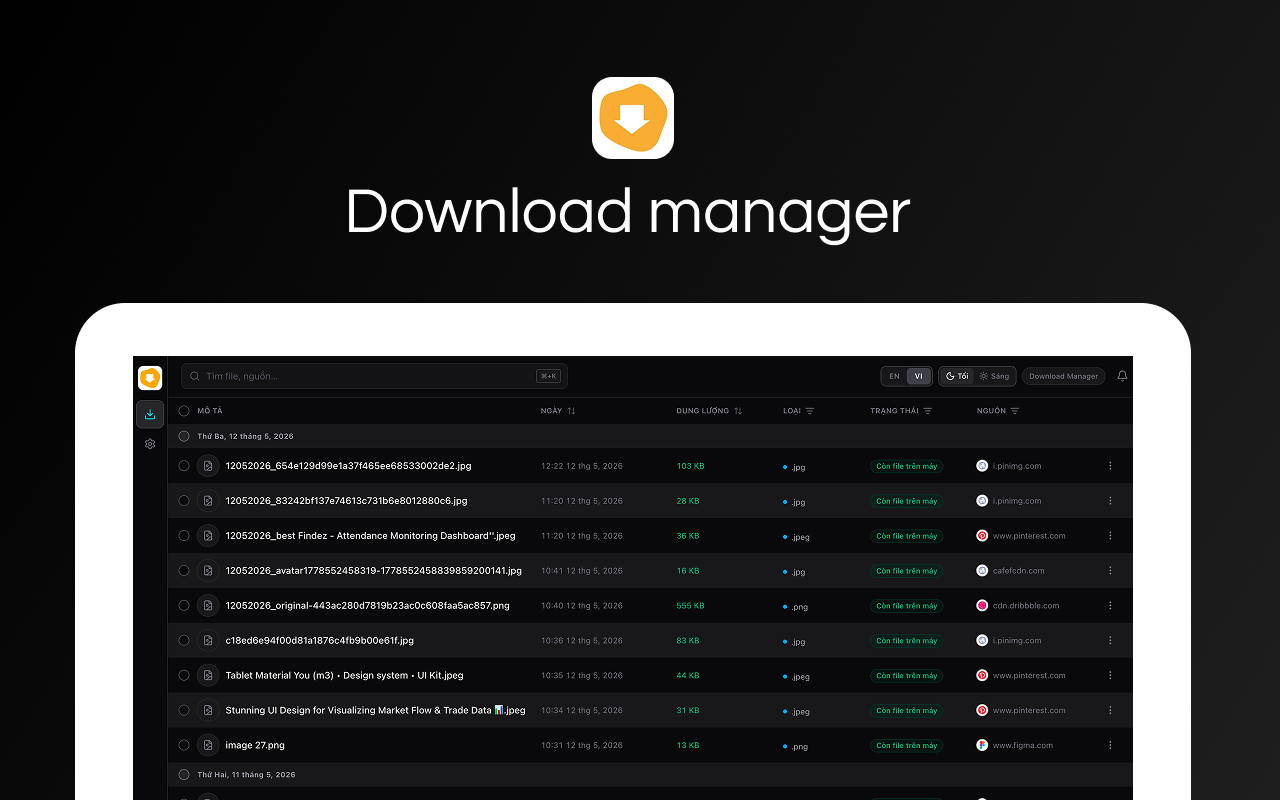
Download table — columns for description, date, size, type, status, and source; files grouped by day with sortable headers.
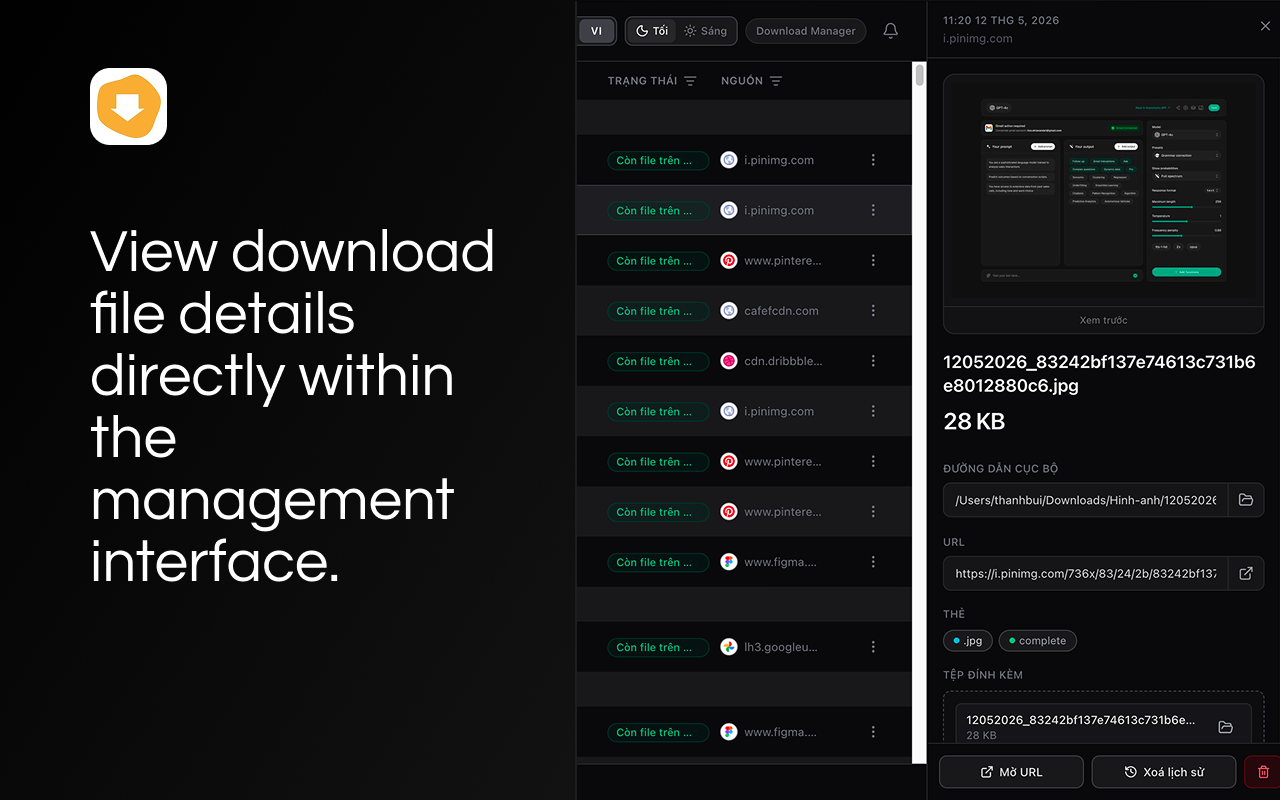
File detail panel — select a row to open an inline panel with preview (when available), local path, URL, tags, and quick actions.
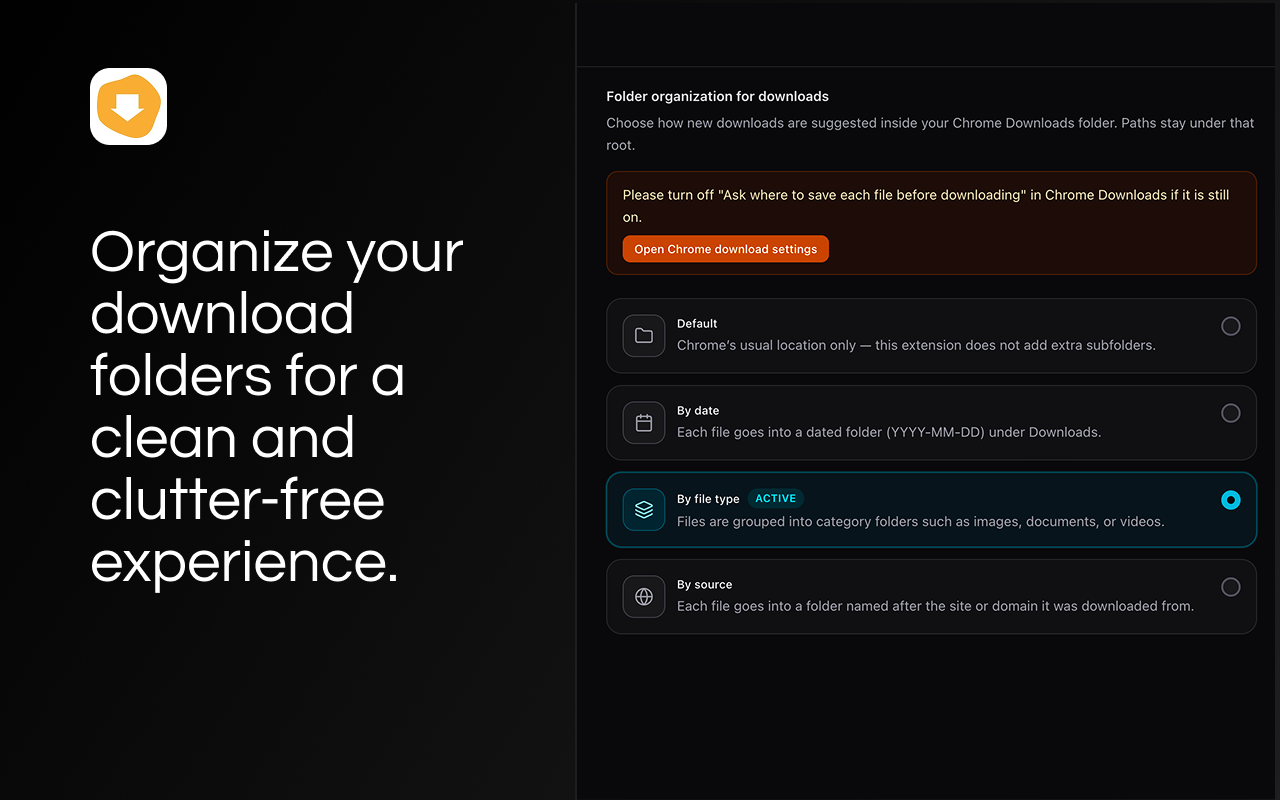
Settings — folder organization — choose default, by date, by file type, or by source; paths stay under your Chrome Downloads folder.
dist/ folder.chrome://extensions in Chrome (or Edge → edge://extensions, Brave → brave://extensions, …).dist/ folder.When you update the code, run the build again and click the Reload (↻) button on the extension card. If you're running
npm run dev, Chrome reloads the extension automatically.
| Action | How |
|---|---|
| Open the manager UI | Click the extension icon on the toolbar, or open chrome://downloads (it auto-redirects) |
| Browse downloads | The Quản lý file tab in the side rail |
| Change folder routing | The Cài đặt (Settings) tab in the side rail |
| Open the GitHub repo | The GitHub icon at the bottom of the side rail |
| Download a protected image | Right-click on the image → Download Image (Download manager) |
The extension hooks chrome.downloads.onDeterminingFilename, so it can rewrite the file path before Chrome decides where to put the bytes.
DDMMYYYY_.12052026_12052026_….| Mode | Result for photo.png from example.com on 12 May 2026 |
|---|---|
default |
12052026_photo.png |
by-date |
2026-05-12/12052026_photo.png |
by-type |
Hinh-anh/12052026_photo.png |
by-source |
example.com/12052026_photo.png |
Folder names use ASCII-only characters (Hinh-anh, Tai-lieu, Ma-nguon, Phan-mem, Khac, …) to stay safe across Windows / macOS / Linux file systems.
chrome://settings/downloads.Referer and cookies. If both fail, the image probably needs auth that the page itself doesn't have either.Referer or Cookie headers on chrome.downloads.download. Those are forbidden headers in the Fetch spec; the page-context fallback is the supported way to deal with hot-link protection.@tailwindcss/vite) for styling — utility classes only, no CSS modules.src/manifest.ts.@crxjs/vite-plugin require modern Node).package-lock.json is committed).# 1. Clone
git clone https://github.com/buigiathanh/extension-download-manager.git
cd extension-download-manager
# 2. Install
npm install
# 3a. One-off production build (recommended for "Load unpacked")
npm run build
# 3b. Or: rebuild on every change with HMR (recommended while developing)
npm run dev
Then load the dist/ folder via Load unpacked in chrome://extensions.
| Script | What it does |
|---|---|
npm run dev |
vite in watch mode. Re-emits dist/ on every save and triggers Chrome to reload the extension via @crxjs. |
npm run build |
tsc --noEmit && vite build — strict type-check across the whole project, then a production bundle into dist/. |
npm run preview |
vite preview — only useful for previewing the SPA in a normal browser tab (not as an extension). |
.
├── public/
│   └── icons/                  # 16/32/48/128 PNGs referenced by manifest.icons + action.default_icon
├── logo.png                    # Original 128×128 source for the icons
├── src/
│   ├── manifest.ts             # Single source of truth for the MV3 manifest (typed via @crxjs)
│   ├── main.tsx                # React entrypoint mounted into index.html
│   ├── App.tsx                 # Top-level layout: LeftRail + (DownloadsPanel | SettingsPanel)
│   ├── background.ts           # Service worker: filename routing, chrome://downloads redirect, action click
│   ├── index.css               # Tailwind base + project-wide tweaks
│   ├── vite-env.d.ts
│   ├── components/             # All React UI components
│   │   ├── LeftRail.tsx
│   │   ├── DownloadsPanel.tsx
│   │   ├── DownloadDetailPanel.tsx
│   │   ├── SettingsPanel.tsx
│   │   ├── ThemeToggle.tsx
│   │   ├── ConfirmDialog.tsx
│   │   ├── CreateFolderDialog.tsx
│   │   ├── DownloadAskLocationDialog.tsx
│   │   └── CloudFoldersPanel.tsx           # legacy, not wired into routing
│   ├── context/
│   │   └── ThemeContext.tsx
│   └── lib/                    # Framework-agnostic helpers (pure functions + chrome.* wrappers)
│       ├── downloads.ts                    # baseName, extensionOf, sortDownloads, date prefix helpers, …
│       ├── downloadPathRouting.ts          # suggestedRelativePathForOrganizeMode, prefix helpers
│       ├── downloadImageContextMenu.ts     # right-click "Download Image" + page-context fallback
│       ├── folderOrganizeSettings.ts       # load / save organize mode via chrome.storage.local
│       ├── chromeDownloadAskLocationProbe.ts
│       ├── openChromeDownloadsSettings.ts
│       └── cloudFolders.ts                 # legacy local-only data
├── index.html
├── vite.config.ts
├── tsconfig.json
├── tsconfig.node.json
├── package.json
└── README.md
The code is split into three concentric layers. Each layer only depends on the ones below it.
src/lib/* — pure helpers and chrome. wrappers.*
downloads.ts — baseName, extensionOf, dayKey, sortDownloads, formatDownloadBytes, downloadDatePrefixFromIso, applyDownloadDatePrefixToBaseName, …downloadPathRouting.ts — suggestedRelativePathForOrganizeMode(mode, item) and suggestedFilenameWithDownloadTimePrefix(item). This is the single function the background worker calls.downloadImageContextMenu.ts — registers the right-click menu, calls chrome.downloads.download first, and falls back to chrome.scripting.executeScript to fetch the image inside the page when the direct download fails.folderOrganizeSettings.ts — loadFolderOrganizeMode() / saveFolderOrganizeMode(mode) backed by chrome.storage.local. DownloadFolderOrganizeMode is "default" | "by-date" | "by-type" | "by-source".src/components/* — React components.
lib/.chrome.downloads.* URL-routing logic directly — they go through the helpers, so the same logic stays consistent with the background worker.src/App.tsx + src/background.ts — composition roots.
App.tsx glues LeftRail, DownloadsPanel, DownloadDetailPanel, and SettingsPanel together based on the active NavKey.background.ts registers the service worker listeners and is the only place that calls suggestedRelativePathForOrganizeMode / suggestedFilenameWithDownloadTimePrefix. ┌──────────────────────────────────────────────┐
│ Chrome browser (user clicks "save") │
└───────────────┬──────────────────────────────┘
│ chrome.downloads.* event
▼
┌──────────────────────────────────────────────┐
│ src/background.ts (MV3 service worker) │
│ │
│ • onDeterminingFilename → rewrite filename │
│ via downloadPathRouting.ts │
│ • action.onClicked → open manager tab │
│ • tabs/webNavigation listeners │
│ redirect chrome://downloads to extension │
│ • registers right-click "Download Image" │
└───────────────┬──────────────────────────────┘
│ chrome.storage.local (mode)
▼
┌──────────────────────────────────────────────┐
│ Extension page (index.html → React app) │
│ │
│ src/App.tsx │
│ ├── LeftRail │
│ ├── DownloadsPanel + DownloadDetailPanel │
│ └── SettingsPanel (writes organize mode) │
└──────────────────────────────────────────────┘
Key flows:
Filename routing:
onDeterminingFilename(downloadItem, suggest).chrome.storage.onChanged).suggestedRelativePathForOrganizeMode(mode, downloadItem) for non-default modes, or suggestedFilenameWithDownloadTimePrefix(downloadItem) for the default mode.suggest({ filename, conflictAction: "uniquify" }).chrome://downloads redirect: chrome.tabs.onUpdated + chrome.webNavigation.onCommitted listen for that URL and replace it with the extension's index.html.
Right-click image download:
contextMenus.onClicked fires for dm_download_image_via_manager.chrome.downloads.download({ url }) directly (fast, streaming, low RAM).fetch + FileReader.readAsDataURL into the page via chrome.scripting.executeScript, then calls chrome.downloads.download({ url: dataUrl }). This way the browser uses the page's own Referer and cookies — bypassing anti-hotlink protection.tsc --noEmit runs as part of npm run build. No any is checked in.dark: variants for dark mode.chrome.* live next to them and never embed UI logic.Referer, Cookie, User-Agent, … on chrome.downloads.download — the API will reject the request with "Unsafe request header name". Use the page-context fetch fallback instead.Add a new organize mode
src/lib/folderOrganizeSettings.ts (DownloadFolderOrganizeMode).src/lib/downloadPathRouting.ts.src/components/SettingsPanel.tsx.suggestedRelativePathForOrganizeMode.Change the filename prefix format
downloadDatePrefixFromIso in src/lib/downloads.ts. Update the formatting there; both the default mode (suggestedFilenameWithDownloadTimePrefix) and the organized modes (suggestedRelativePathForOrganizeMode) use it.Replace the toolbar icon
logo.png (≥ 128×128) at the repo root.public/icons/ (the repo's icon-*.png files), e.g. with sips on macOS or any image editor.manifest.icons and action.default_icon already reference them by relative path; no manifest change needed.Add a new permission
permissions array in src/manifest.ts. @crxjs will re-emit dist/manifest.json automatically.Add a side-rail entry
NavKey and the modules array in src/components/LeftRail.tsx.nav === ? branch of src/App.tsx.| Manifest key | Purpose |
|---|---|
permissions.downloads |
Read download items, suggest filenames in onDeterminingFilename, trigger downloads via chrome.downloads.download. |
permissions.contextMenus |
Register the right-click "Download Image (Download manager)" entry. |
permissions.scripting |
Inject the page-context fetch + FileReader snippet that re-downloads hot-link–protected images. |
permissions.tabs |
Open the manager tab from the toolbar action and from the side-rail GitHub button. |
permissions.webNavigation |
Catch top-level navigations to chrome://downloads and redirect them to the extension. |
permissions.identity, permissions.identity.email |
Show the signed-in user's name/initial on the side rail. |
permissions.storage |
Persist the active organize mode in chrome.storage.local. |
host_permissions: ["<all_urls>"] |
Required for the scripting fallback to work on any site the user is visiting. |
main.npm install && npm run dev.tsc --noEmit clean (it runs as part of npm run build).When in doubt, prefer:
src/lib/* over inline logic in components.ISC — see package.json.

