
A powerful native desktop app for ThinkPad users on Linux. Control fan speeds, optimize battery health, tune CPU performance, and monitor system resources—all in one sleek interface built with Tauri.
Copy the command below to clone the repository to your machine.
A powerful, native desktop application that unlocks the full potential of your ThinkPad on Linux. Built with Tauri for blazing-fast performance, ThinkUtils gives you complete control over fan speeds, battery health, CPU performance, and system monitoring—all through a sleek, modern interface inspired by ThinkPad's iconic design.
echo "deb [trusted=yes] https://gh.vietanh.dev/ThinkUtils/apt ./" | sudo tee /etc/apt/sources.list.d/thinkutils.list
sudo apt update
sudo apt install thinkutils
Download the latest .deb, .rpm, or .AppImage from GitHub Releases.
# Debian/Ubuntu
sudo dpkg -i thinkutils_*.deb

# Fedora/RHEL
sudo rpm -i thinkutils-*.rpm
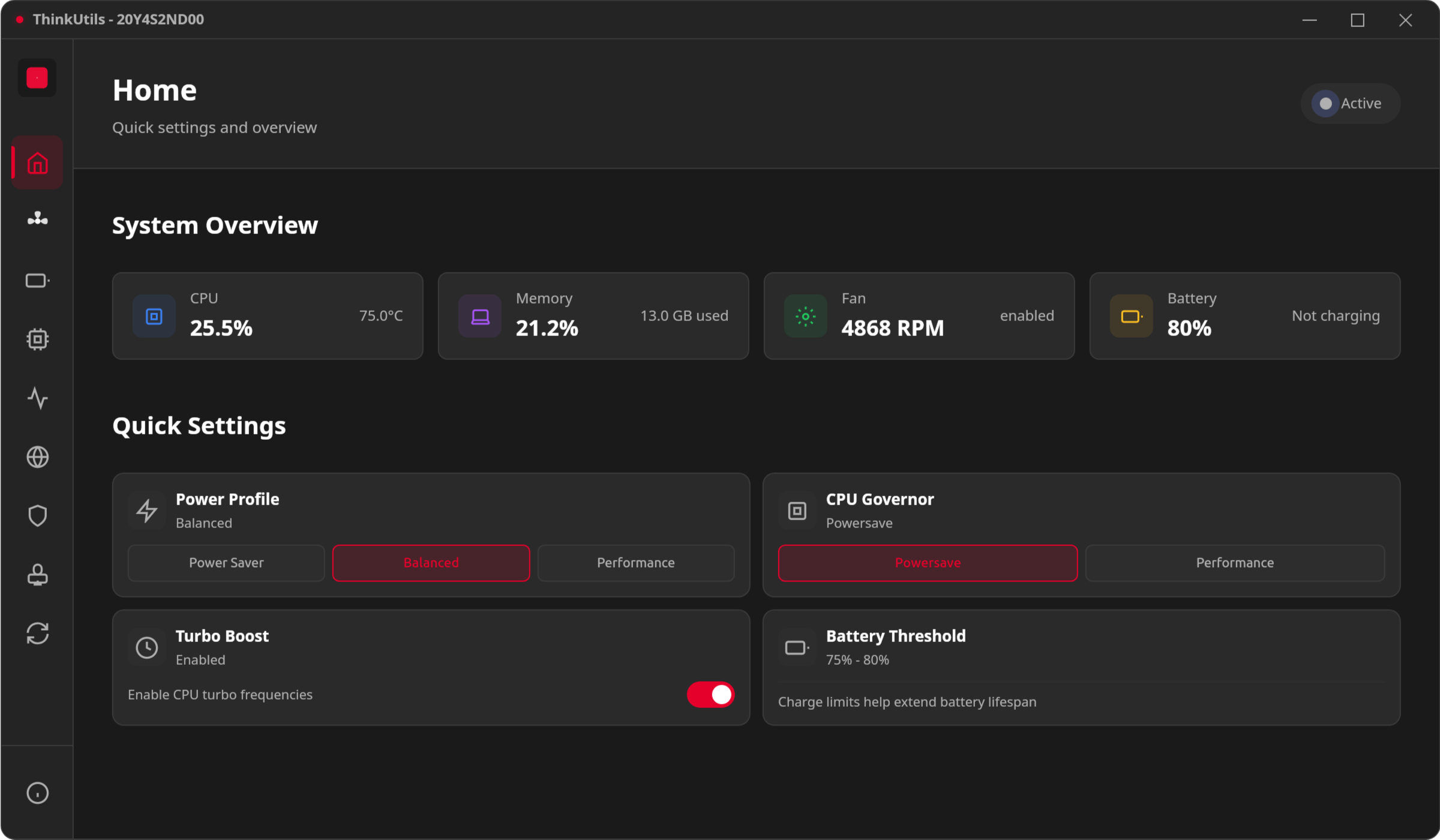
Your command center for quick system adjustments. The home dashboard provides real-time monitoring and quick access to essential controls.
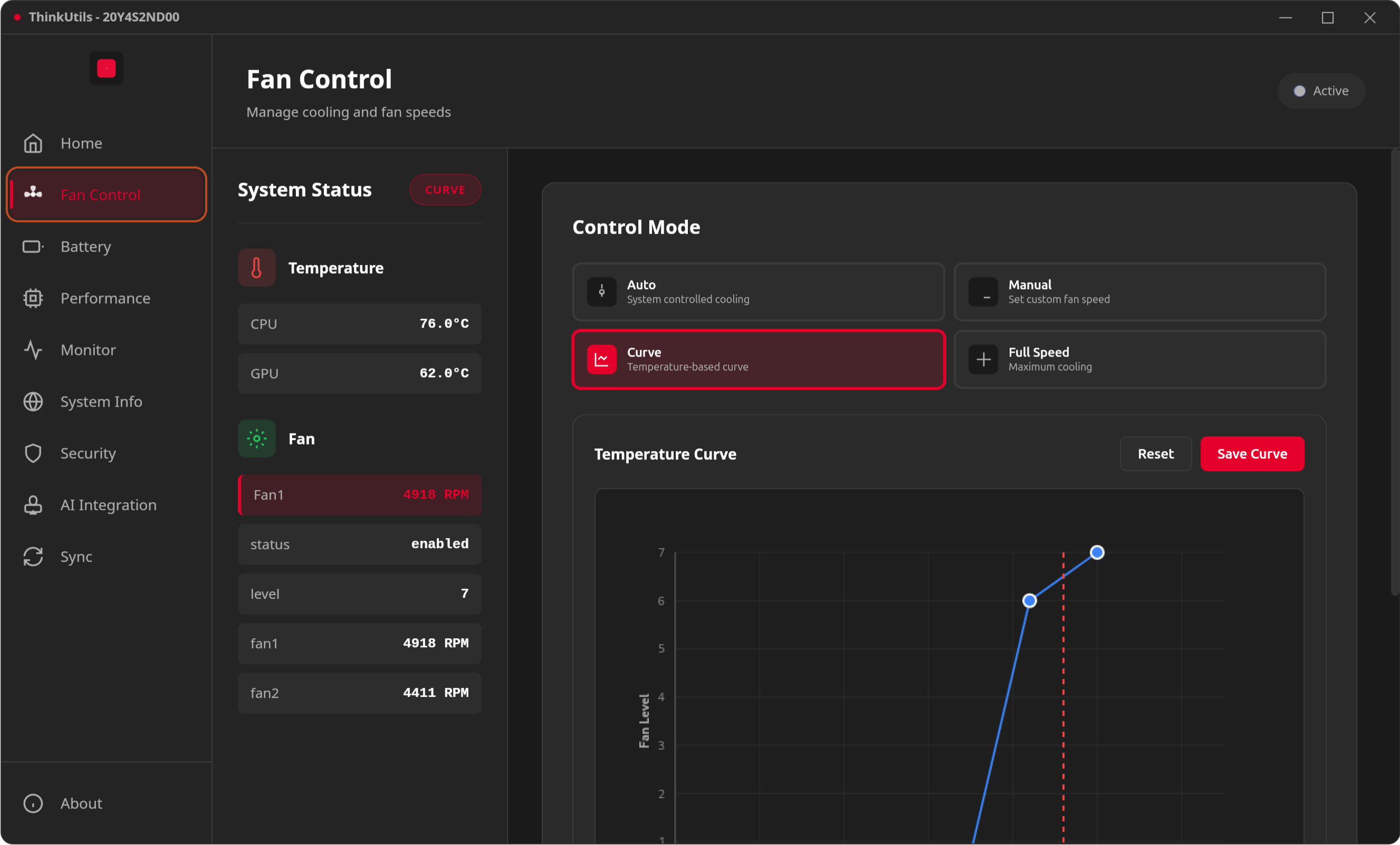
Take control of your ThinkPad's legendary cooling system. Whether you need whisper-quiet operation in a library or maximum cooling for intensive workloads, ThinkUtils gives you precise control.
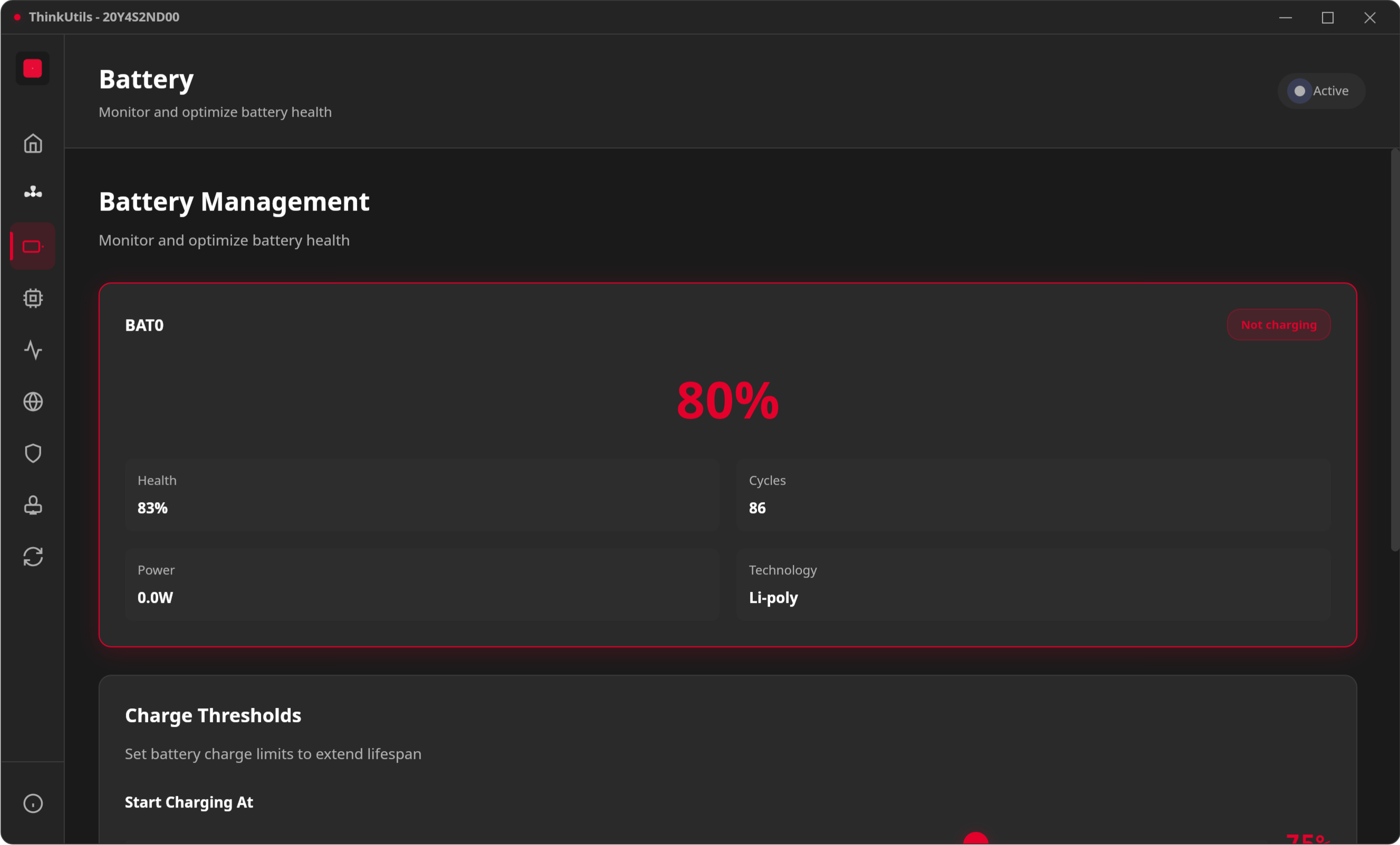
Extend your battery's lifespan by years with intelligent charge management. ThinkUtils helps you implement the 40-80 rule that professionals use to maximize battery longevity.
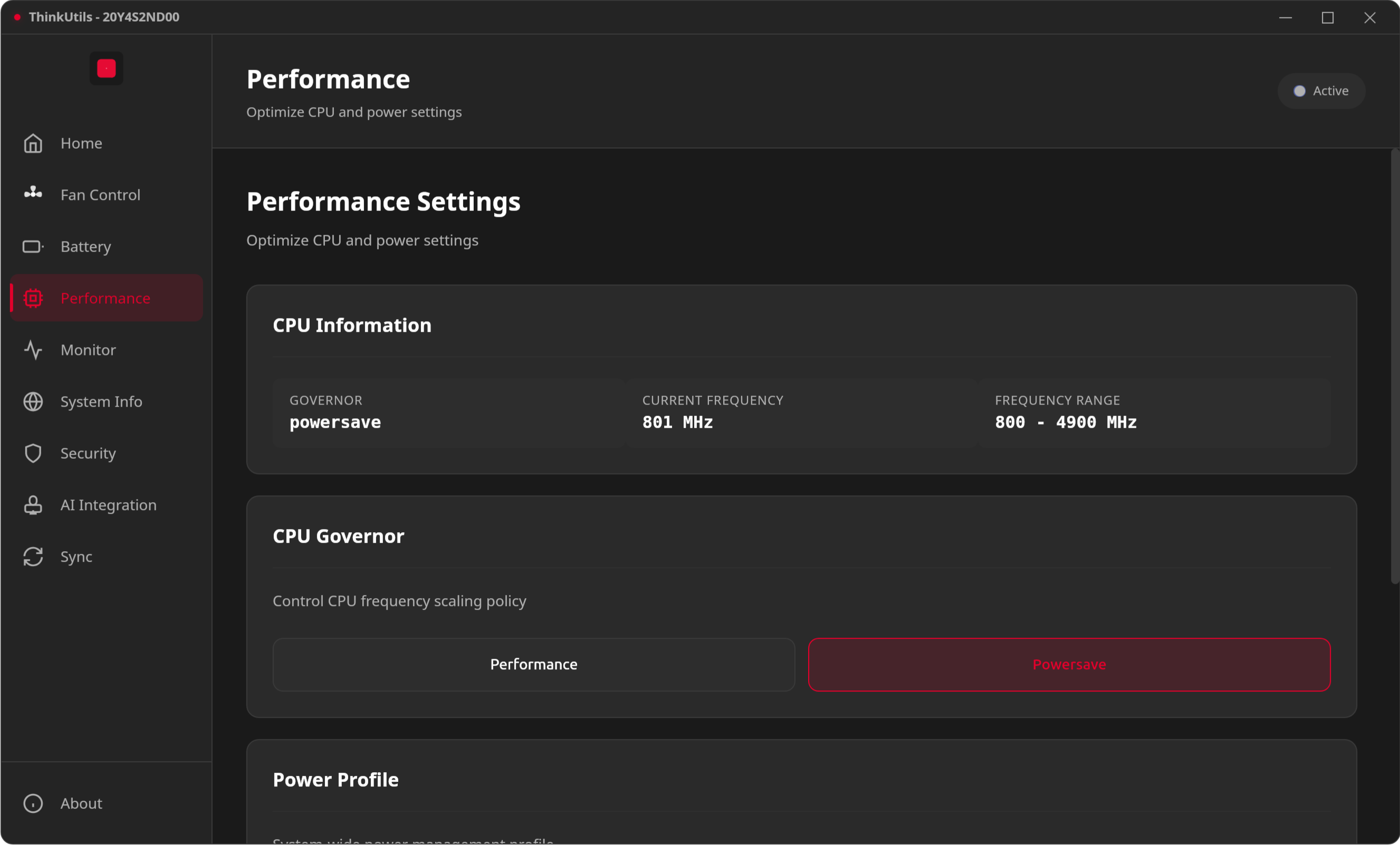
Squeeze every drop of performance from your CPU or maximize battery life—your choice. Fine-tune how your ThinkPad manages processor power and frequency scaling.
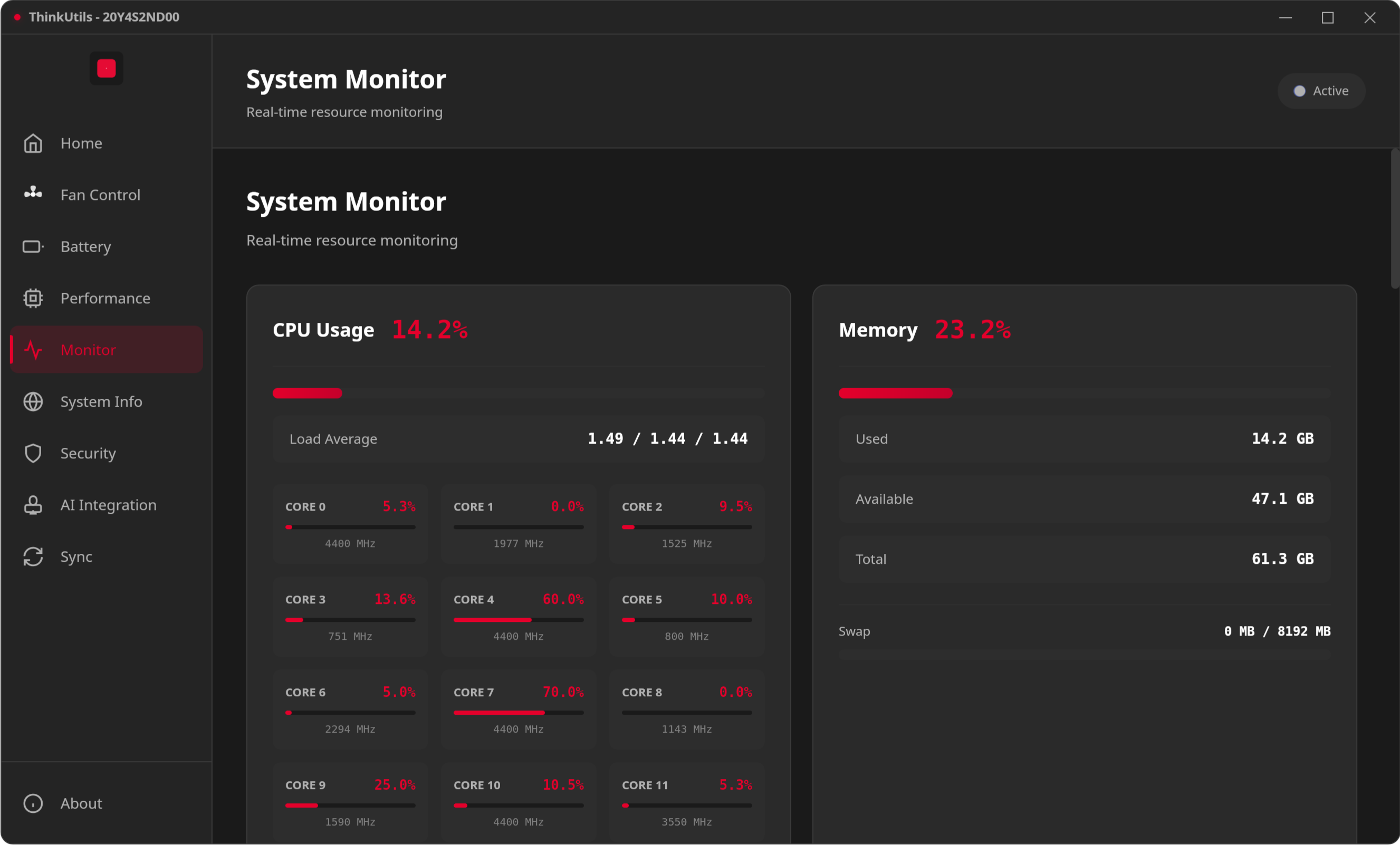
A comprehensive system dashboard that shows you everything happening on your ThinkPad. No need for multiple terminal windows—get all your metrics in one beautiful interface.
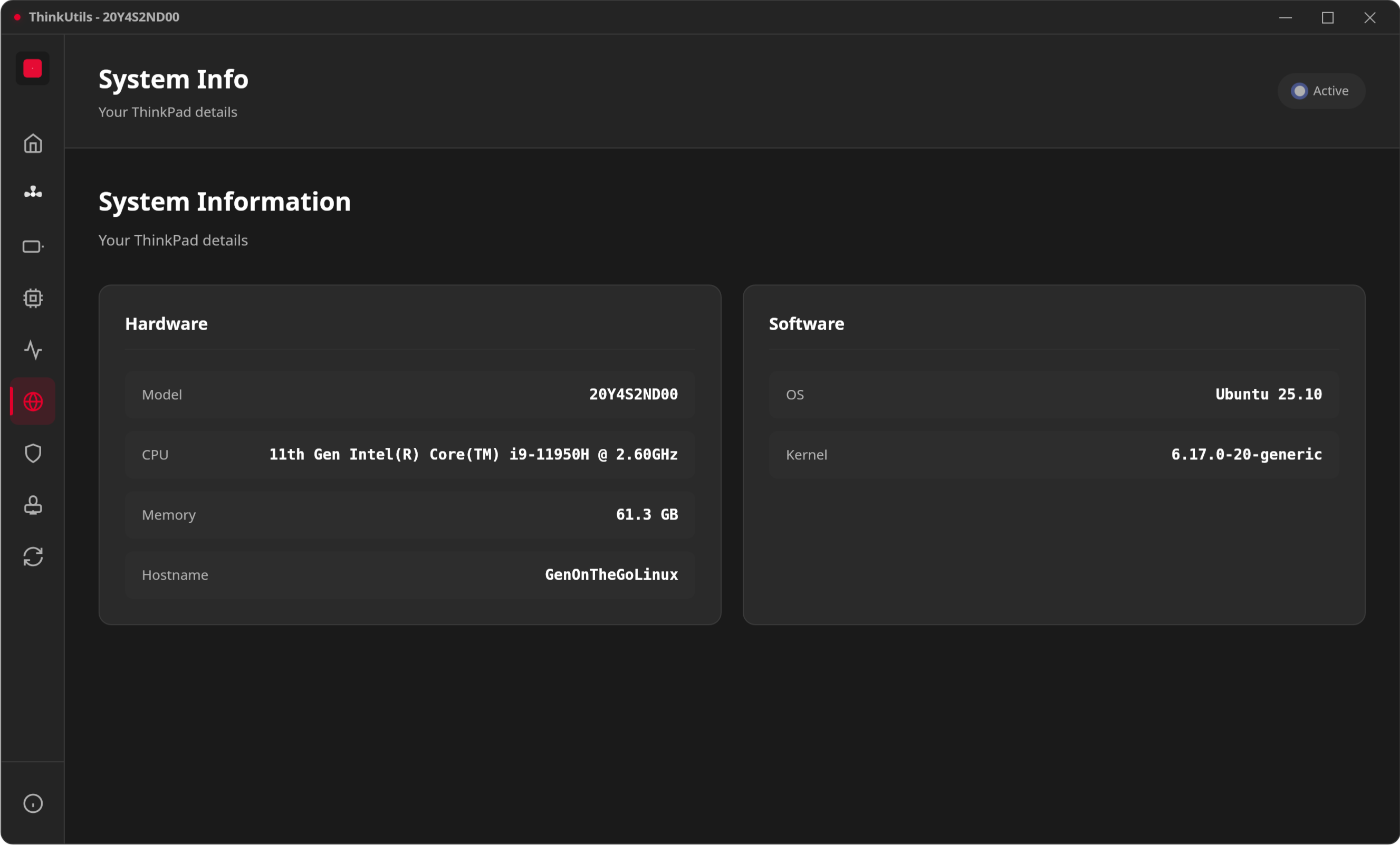
Know your machine inside and out. Quick access to all your ThinkPad's hardware specifications and system details.
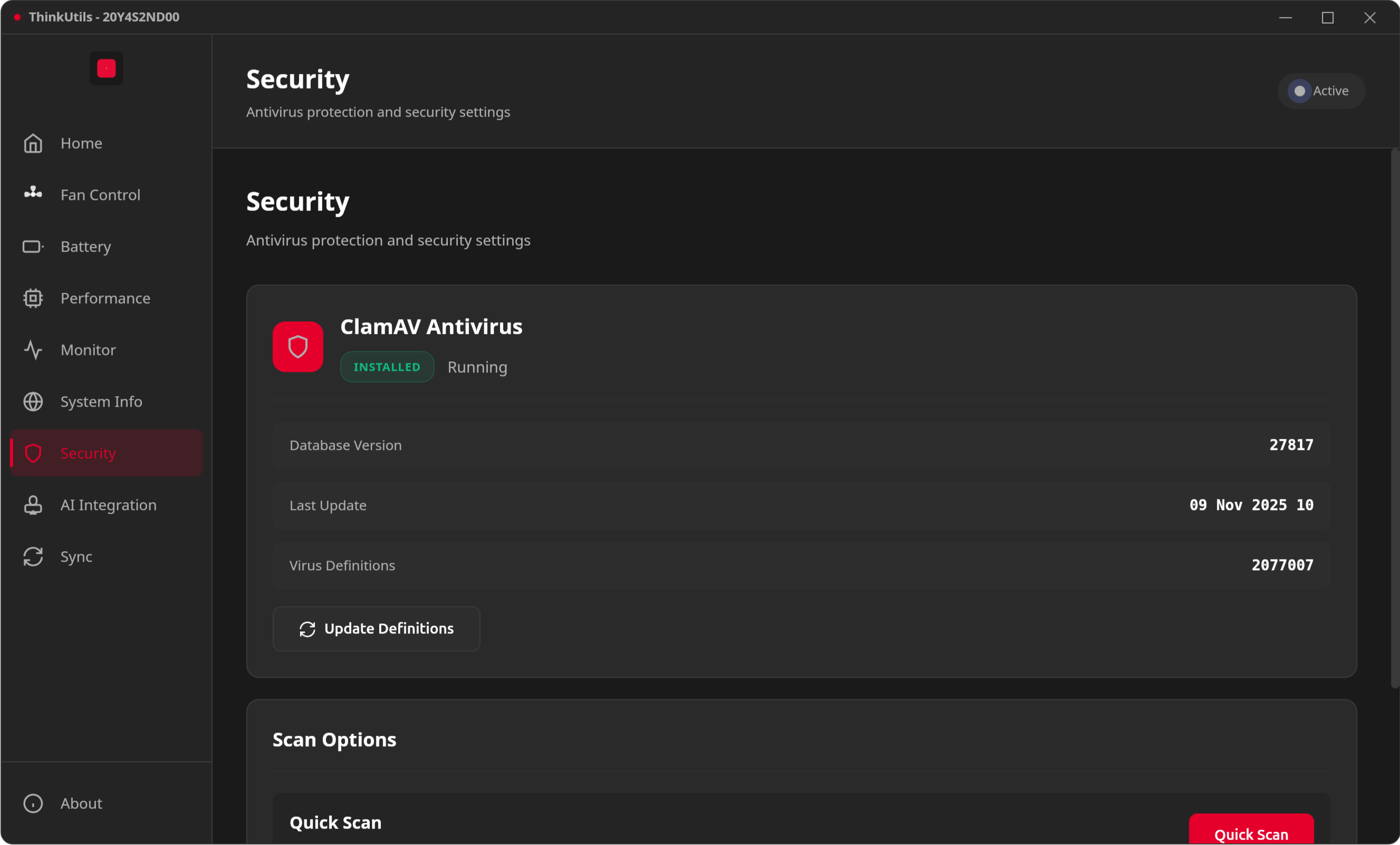
Built-in security scanning powered by ClamAV.
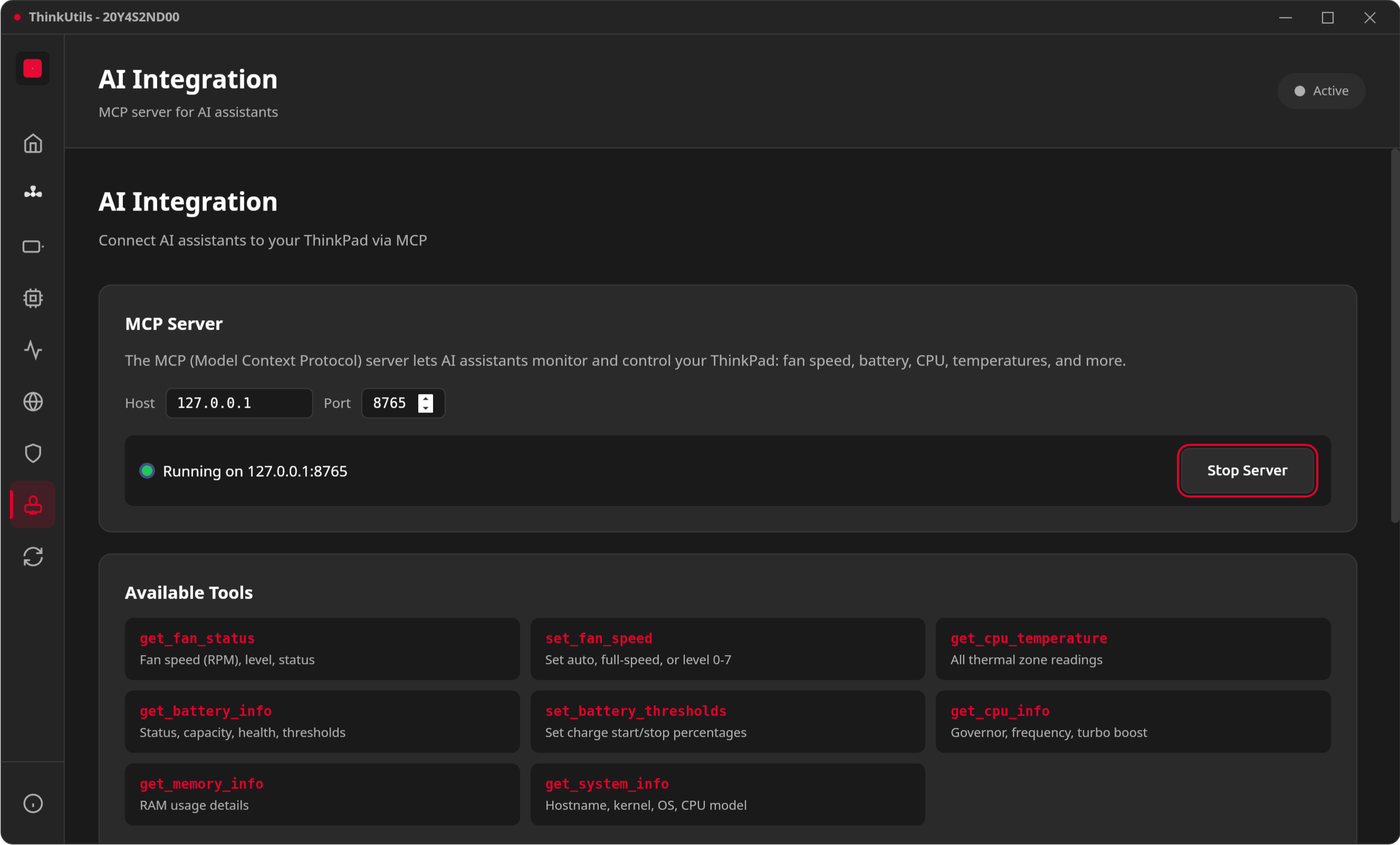
Built-in MCP (Model Context Protocol) server that exposes system controls to AI assistants like Claude.
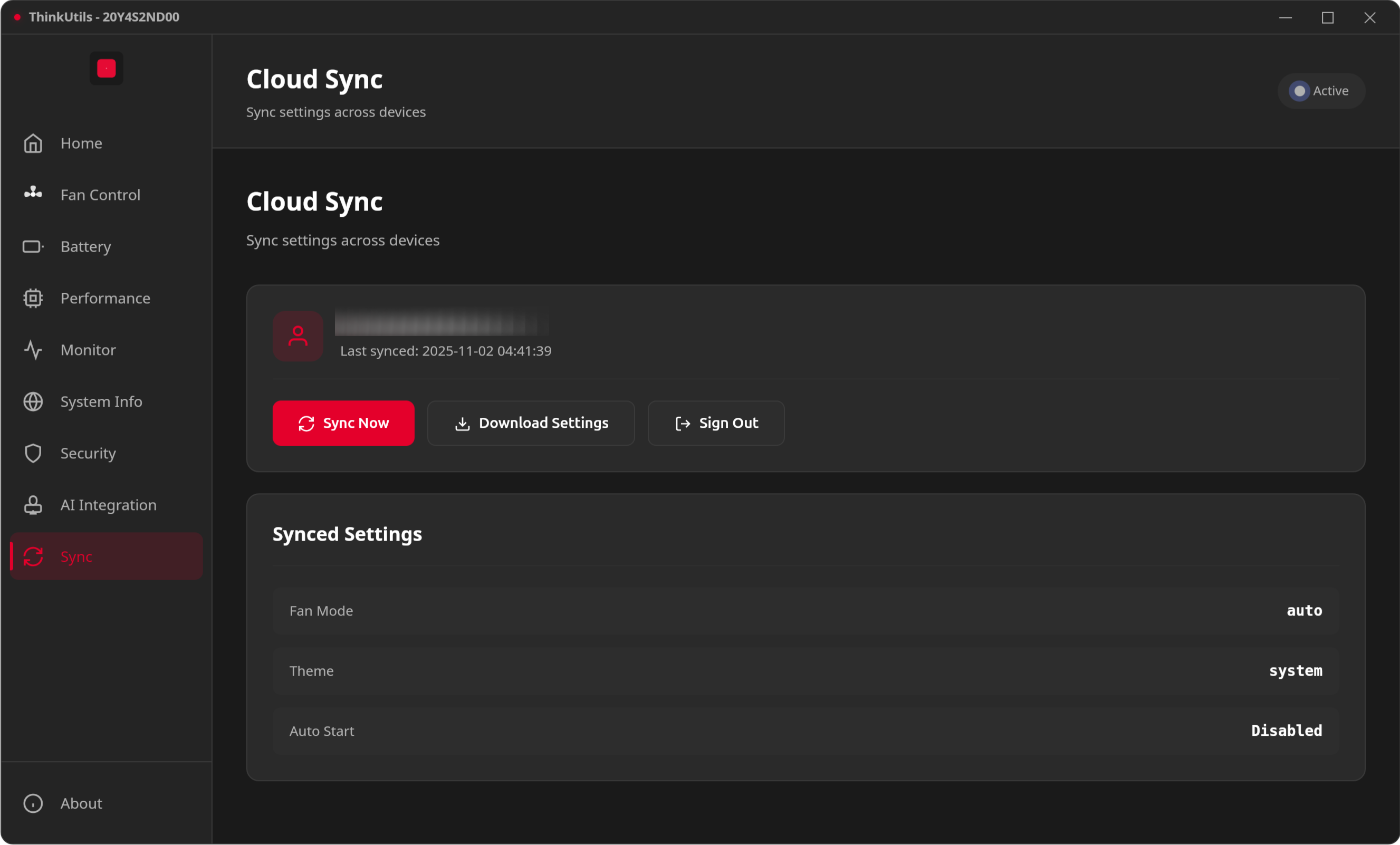
Never lose your carefully tuned settings. Sync your ThinkUtils configuration to the cloud and restore it on any ThinkPad.
ThinkUtils combines the performance of Rust with the flexibility of web technologies to deliver a native desktop experience:
sudo apt install lm-sensors policykit-1
sudo dnf install lm_sensors polkit
sudo pacman -S lm_sensors polkit
Before using ThinkUtils, you need to enable fan control:
sudo nano /etc/modprobe.d/thinkpad_acpi.conf
options thinkpad_acpi fan_control=1
sudo modprobe -r thinkpad_acpi
sudo modprobe thinkpad_acpi
Debian/Ubuntu:
sudo apt install libwebkit2gtk-4.1-dev \
    build-essential \
    curl \
    wget \
    file \
    libssl-dev \
    libayatana-appindicator3-dev \
    librsvg2-dev
Fedora:
sudo dnf install webkit2gtk4.1-devel \
    openssl-devel \
    curl \
    wget \
    file \
    libappindicator-gtk3-devel \
    librsvg2-devel
git clone https://github.com/vietanhdev/ThinkUtils.git
cd ThinkUtils
npm install
npm run tauri dev
npm run tauri build
The built packages will be in src-tauri/target/release/bundle/
ThinkUtils uses comprehensive linting and formatting tools:
npm run lint          # Run all linters
npm run lint:fix      # Auto-fix issues
npm run format        # Format all files
npm run validate      # Full validation (lint + format check)
Pre-commit hooks run automatically on git commit. If linting fails, fix with npm run lint:fix, re-stage, and commit again.
ThinkUtils/
├── src/                        # Frontend (vanilla JS, no framework)
│   ├── index.html              # Main UI
│   ├── styles.css              # CSS entry point (imports modules)
│   ├── styles/                 # Modular CSS (see docs/development/css.md)
│   ├── icons/                  # SVG icons
│   ├── assets/                 # Logo and static assets
│   └── js/                     # JavaScript modules
│       ├── app.js              # Initialization entry point
│       ├── state.js            # Centralized state object
│       ├── dom.js              # Cached DOM references
│       ├── navigation.js       # View routing
│       ├── settingsManager.js  # Settings load/save/apply
│       ├── fanCurve.js         # Canvas-based curve editor
│       ├── titlebar.js         # Custom window titlebar
│       ├── about.js            # About dialog
│       ├── templateLoader.js   # HTML template loading
│       ├── utils.js            # Shared utilities
│       └── views/              # One JS file per feature
│           ├── home.js
│           ├── fan.js
│           ├── battery.js
│           ├── performance.js
│           ├── monitor.js
│           ├── system.js
│           ├── security.js
│           ├── sync.js
│           └── mcp.js
├── src-tauri/                  # Backend (Rust)
│   ├── src/
│   │   ├── lib.rs              # Tauri command registration
│   │   ├── fan_control.rs      # Manual fan speed control
│   │   ├── fan_curve.rs        # Auto fan curve (background task)
│   │   ├── battery.rs          # Battery info and thresholds
│   │   ├── performance.rs      # CPU governor, turbo, power profiles
│   │   ├── monitor.rs          # System stats (CPU, memory, disk, net)
│   │   ├── permissions.rs      # One-time permission setup
│   │   ├── security.rs         # ClamAV integration
│   │   ├── sync.rs             # Google OAuth + Drive sync
│   │   ├── settings.rs         # Persistent storage
│   │   ├── system_info.rs      # Hardware info
│   │   ├── auth.rs             # OAuth helpers
│   │   └── mcp.rs              # MCP server
│   ├── tauri.conf.json         # Tauri configuration
│   └── icons/                  # Generated app icons
├── docs/                       # Documentation
├── scripts/                    # Build and install scripts
├── polkit/                     # Polkit policy files
└── screenshots/                # App screenshots
Full documentation at thinkutils.nrl.ai, or browse the docs/ directory:
Launch ThinkUtils from your application menu or run:
thinkutils
Use the left sidebar to navigate between features:
ThinkUtils is designed for IBM/Lenovo ThinkPad laptops running Linux.
Tested on:
Requirements:
lsmod | grep thinkpad_acpi
cat /etc/modprobe.d/thinkpad_acpi.conf
ls -l /proc/acpi/ibm/fan
Click "Setup Permissions" in the app, or see Permissions.
Ensure lm-sensors is installed and configured:
sudo sensors-detect
sensors
Contributions are welcome! Areas for improvement:
ThinkUtils is dual-licensed:
For commercial licensing inquiries, please contact: https://www.vietanh.dev/contact
ThinkUtils modifies system fan controls. While generally safe, use at your own risk. The authors are not responsible for any hardware damage that may occur from improper use.
Always monitor temperatures when using manual fan control.
Made with ❤️ for ThinkPad enthusiasts



